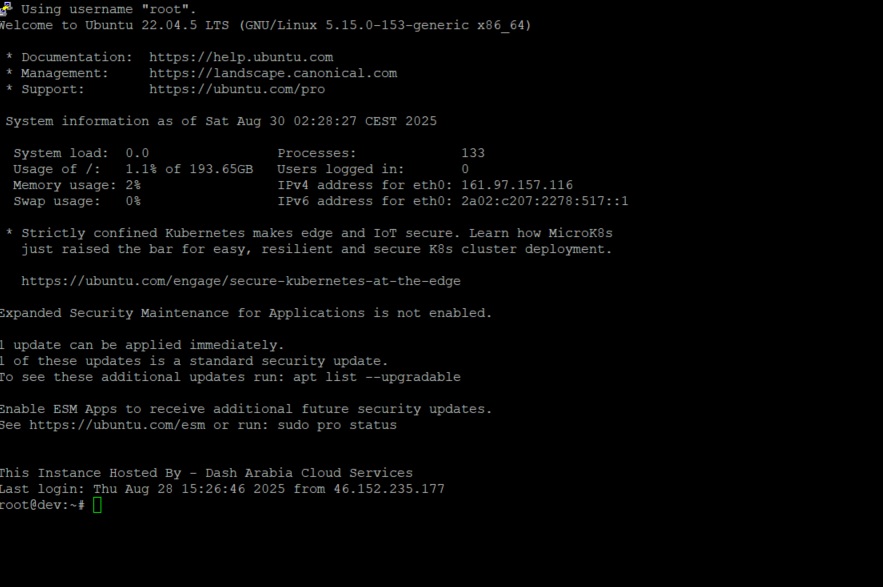
1. pwd (Print Working Directory)
Shows your current location in the file system.
pwd
# Output: /home/username
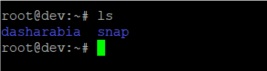
2. ls (List Directory Contents)
Displays files and folders in the current directory.
ls # Basic listing
ls -l # Long format with details
ls -la # Include hidden files
ls -lh # Human-readable file sizes
3. cd (Change Directory)
Navigate between directories.
cd /home/username # Go to specific directory
cd .. # Go up one directory
cd ~ # Go to home directory
cd - # Go to previous directory
4. mkdir (Make Directory)
Create new directories.
mkdir new_folder # Create single directory
mkdir -p path/to/new/folder # Create nested directories
5. rmdir (Remove Directory)
Delete empty directories.
rmdir empty_folder # Remove empty directory
File Operations Commands
6. touch (Create Empty File)
Create new empty files or update timestamps.
touch newfile.txt # Create new file
touch file1.txt file2.txt # Create multiple files
7. cp (Copy Files)
Copy files and directories.
cp file1.txt file2.txt # Copy file
cp -r folder1 folder2 # Copy directory recursively
cp file.txt /path/to/destination/ # Copy to specific location
8. mv (Move/Rename Files)
Move or rename files and directories.
mv oldname.txt newname.txt # Rename file
mv file.txt /new/location/ # Move file
mv folder1 folder2 # Rename/move directory
9. rm (Remove Files)
Delete files and directories.
rm file.txt # Delete file
rm -r folder # Delete directory recursively
rm -f file.txt # Force delete without confirmation
rm -rf folder # Force delete directory (use carefully!)
File Content Commands
10. cat (Display File Content)
Show entire file contents.
cat filename.txt # Display file content
cat file1.txt file2.txt # Display multiple files
11. less (View File Content Page by Page)
View large files with scrolling capability.
less largefile.txt # Navigate with arrow keys, q to quit
12. head (Show First Lines)
Display the beginning of a file.
head filename.txt # Show first 10 lines
head -n 5 filename.txt # Show first 5 lines
13. tail (Show Last Lines)
Display the end of a file.
tail filename.txt # Show last 10 lines
tail -f logfile.txt # Follow file updates in real-time
14. grep (Search Text)
Search for patterns in files.
grep "search_term" filename.txt # Find text in file
grep -r "search_term" /directory/ # Search recursively
grep -i "search_term" filename.txt # Case-insensitive search
File Permissions and Ownership
15. chmod (Change File Permissions)
Modify file and directory permissions.
chmod 755 filename # Set specific permissions
chmod +x script.sh # Make file executable
chmod -w filename # Remove write permission
16. chown (Change File Ownership)
Change file and directory ownership.
sudo chown user:group filename # Change owner and group
sudo chown -R user:group folder/ # Change recursively
System Information Commands
17. whoami (Current User)
Display current username.
whoami
# Output: your_username
18. id (User Information)
Show user and group IDs.
id # Current user info
id username # Specific user info
19. uname (System Information)
Display system information.
uname -a # All system information
uname -r # Kernel version
20. df (Disk Space Usage)
Show disk space usage.
df -h # Human-readable disk usage
df -i # Show inode usage
21. du (Directory Usage)
Display directory size information.
du -sh folder/ # Show directory size
du -h --max-depth=1 # Show subdirectory sizes
22. free (Memory Usage)
Display memory usage information.
free -h # Human-readable memory info
Process Management Commands
23. ps (Process Status)
Show running processes.
ps aux # All running processes
ps -ef # Full process information
24. top (Real-time Process Monitor)
Display real-time system processes.
top # Interactive process monitor
htop # Enhanced version (if installed)
25. kill (Terminate Processes)
Stop running processes.
kill PID # Kill process by ID
killall firefox # Kill all instances of program
kill -9 PID # Force kill process
Network Commands
26. ping (Test Network Connectivity)
Test network connections.
ping google.com # Test connection to website
ping -c 4 google.com # Ping 4 times only
27. wget (Download Files)
Download files from the internet.
wget https://example.com/file.zip # Download file
wget -c https://example.com/file.zip # Resume interrupted download
28. curl (Transfer Data)
Transfer data to/from servers.
curl https://api.example.com # Get webpage/API data
curl -O https://example.com/file.zip # Download file
Package Management Commands
29. apt update (Update Package Lists)
Update the package repository information.
sudo apt update # Update package lists
30. apt upgrade (Upgrade Packages)
Upgrade installed packages.
sudo apt upgrade # Upgrade all packages
sudo apt upgrade package_name # Upgrade specific package
31. apt install (Install Packages)
Install new software packages.
sudo apt install package_name # Install package
sudo apt install package1 package2 # Install multiple packages
32. apt remove (Remove Packages)
Remove installed packages.
sudo apt remove package_name # Remove package
sudo apt autoremove # Remove unnecessary packages
Text Processing Commands
33. sort (Sort Lines)
Sort lines in text files.
sort filename.txt # Sort alphabetically
sort -n numbers.txt # Sort numerically
sort -r filename.txt # Reverse sort
34. wc (Word Count)
Count lines, words, and characters.
wc filename.txt # Lines, words, characters
wc -l filename.txt # Count lines only
wc -w filename.txt # Count words only
35. cut (Extract Columns)
Extract specific columns from text.
cut -d',' -f1,3 data.csv # Extract columns 1 and 3 from CSV
cut -c1-10 filename.txt # Extract characters 1-10
Archive and Compression Commands
36. tar (Archive Files)
Create and extract tar archives.
tar -cvf archive.tar folder/ # Create tar archive
tar -xvf archive.tar # Extract tar archive
tar -czvf archive.tar.gz folder/ # Create compressed archive
tar -xzvf archive.tar.gz # Extract compressed archive
37. zip (Create ZIP Archives)
Create ZIP compressed archives.
zip -r archive.zip folder/ # Create ZIP archive
zip archive.zip file1.txt file2.txt # Add specific files
38. unzip (Extract ZIP Archives)
Extract ZIP archives.
unzip archive.zip # Extract ZIP file
unzip -l archive.zip # List contents without extracting
System Control Commands
39. sudo (Run as Administrator)
Execute commands with administrative privileges.
sudo command # Run command as root
sudo -u username command # Run command as specific user
40. history (Command History)
Show previously executed commands.
history # Show all command history
history 10 # Show last 10 commands
!123 # Execute command number 123
Helpful Command Tips
Command Combinations
You can combine commands using pipes (|) and redirections:
ls -la | grep "txt" # List only .txt files
cat file.txt | sort | uniq # Sort file and remove duplicates
ps aux | grep firefox # Find Firefox processes
Command Shortcuts
- Tab: Auto-complete commands and filenames
- Ctrl + C: Cancel current command
- Ctrl + L: Clear terminal screen
- Ctrl + R: Search command history
- !!: Repeat last command
Getting Help
Every Ubuntu command comes with built-in help:
man command_name # Open manual page
command_name --help # Show quick help
info command_name # Show detailed information
Best Practices for Ubuntu Command Usage
- Always backup important data before running destructive commands like rm -rf
- Use tab completion to avoid typos and save time
- Read command output carefully before proceeding with potentially harmful operations
- Practice in a safe environment when learning new commands
- Keep your system updated with regular apt update && apt upgrade
Common Ubuntu Command Mistakes to Avoid
- Running rm -rf / (deletes everything)
- Using sudo unnecessarily for regular file operations
- Not checking current directory before running commands
- Forgetting to backup before major system changes
- Ignoring error messages and warnings